Skip to content
3

One config.
Every place BPMN
is written.

The same rules in the modeler, in the pull request and in your agent's loop. Miragon naming and layout rules, with the structural and Camunda 7 / 8 rules bundled.
.bpmnlintrcone file
{
  "extends": [
    "bpmnlint:recommended",
    "plugin:@miragon/rules/strict"
  ]
}
$ npm i -D @miragon/bpmnlint-plugin-rules bpmnlint

Needs bpmnlint 11.14+ · Node 22+0.16: pre-1.0, pin the version

Lint your first model
01

In the modeler

On the element, while you draw.

Modelerinvoice.bpmn2 problems
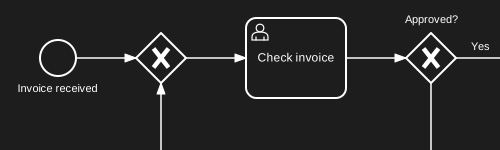
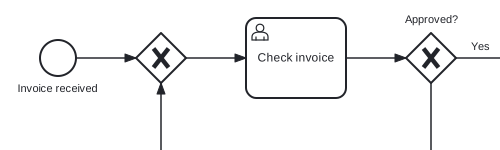
The invoice approval with a lint badge on the task Check invoiceThe invoice approval with a lint badge on the task Check invoice
Element id looks generated no-generated-ids
02

In the pull request

An error fails the check.

Pull requestCheckslint-bpmn

lint-bpmn · 2 errors

processes/invoice.bpmnActivity_0049ryxElement id looks generated@miragon/rules/no-generated-ids
03

In the agent loop

The agent fixes it itself.

Agent loopclaudePostToolUse
Write(processes/invoice.bpmn)Activity_0049ryx no-generated-idsexit 2 → findings back to the agentEdit: id → userTask_checkInvoiceno problems