

Guided tour
Seven stops through the toolkit's feature surface. Run each call in the inspector's Tools tab — pick a tool on the left, fill the arguments, hit Execute. Widget tools render their result inline; plain tools return structuredContent JSON. First connect to the playground.
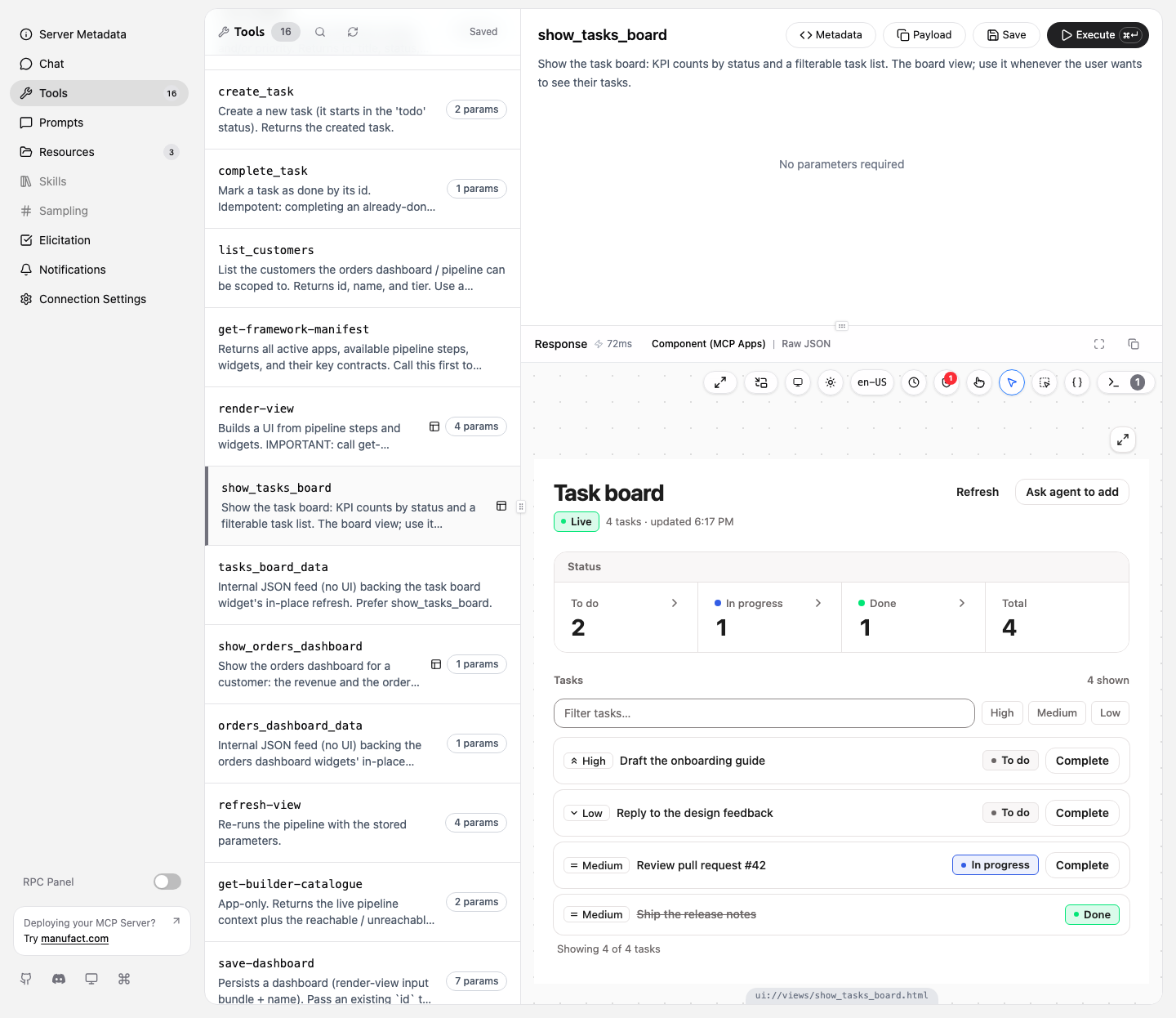
The demo data is seeded and shared: two customers (Miravelo Leasing GmbH, Nordwind Logistik) and four tasks. Anything you create or complete sticks until the machine restarts.
1. Discover the contract
Call get-framework-manifest with {}. One payload describes everything the rest of the tour uses — the steps, the widgets, and the key contracts that wire them together:
{
  "steps": [
    { "id": "orders:resolve-customer", "produces": ["orders:customer"] },
    { "id": "orders:list-customer-orders", "requires": ["orders:customer"] },
  ],
  "widgets": ["tasks:board", "orders:kpi", "orders:table"],
  "keyContracts": [
    {
      "key": "orders:customer",
      "producedBy": ["orders:resolve-customer"],
      "consumedBy": ["orders:list-customer-orders"],
    },
  ],
}
Notice orders:list-customer-orders requires the exact key orders:resolve-customer produces — that shared key is the pipeline in stop 5.
Reading: architecture · pipelines & steps
2. Plain tools
list_tasks is a domain tool built with createToolRegistrar — Zod-described args, an outputSchema, read-only annotations. Call it with {} for all four seeded tasks, then narrow it with a filter:
{ "status": "todo" }Two come back — Draft the onboarding guide (high) and Reply to the design feedback (low). Now mutate the store. Add one with create_task:
{ "title": "Try the mcp-toolkit playground", "priority": "high" }and close one with complete_task (grab an id from list_tasks first):
{ "taskId": "t-2" }complete_task is idempotent — call it twice and the second call is a no-op, not an error.
Reading: app plugins
3. A tool that renders a widget
Call show_tasks_board with {}. Same store as stop 2, but the result now carries _meta.ui and a view envelope, so the inspector renders it as a live widget — the task you added and the one you completed are both on it:
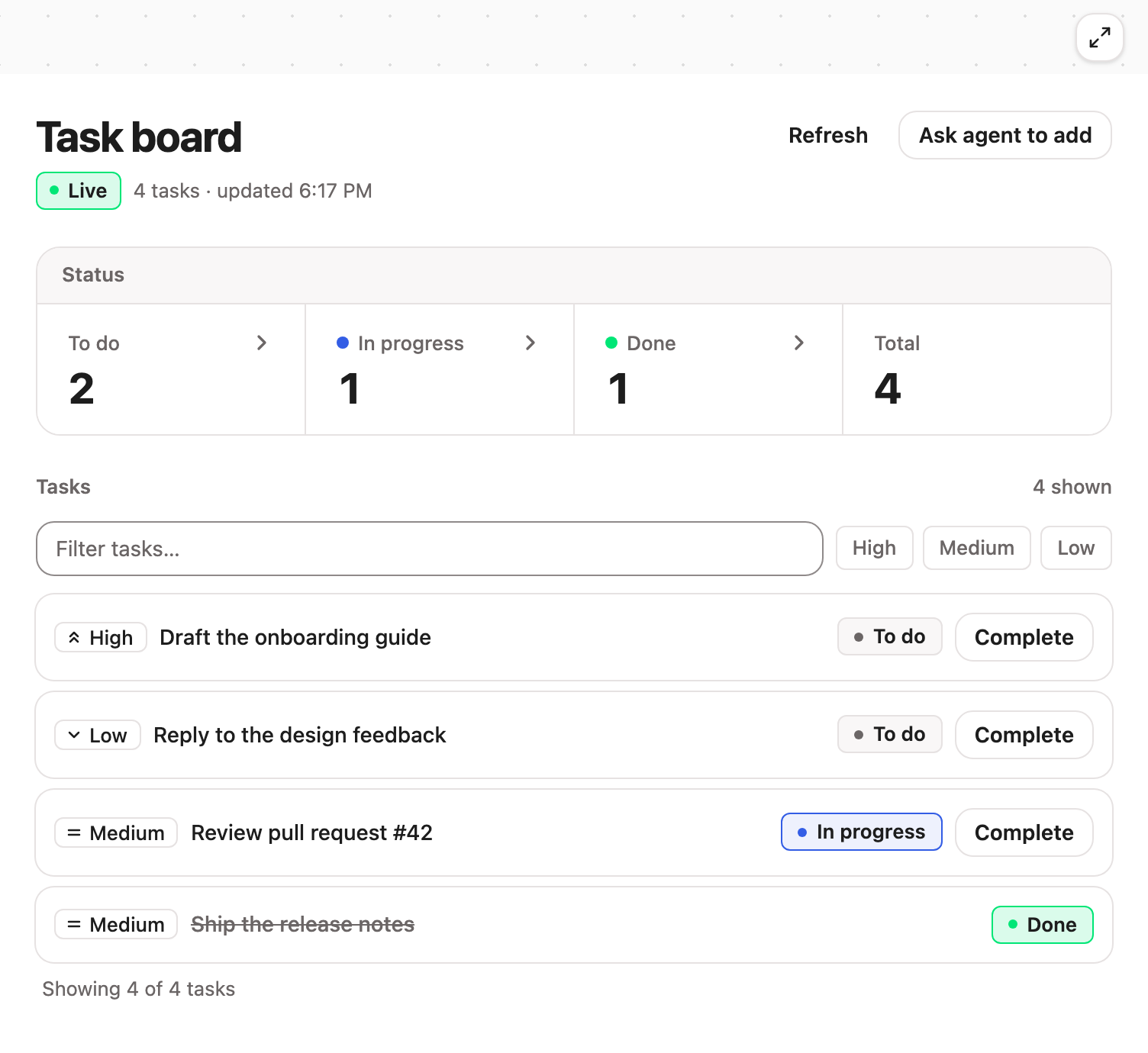
In the JSON, structuredContent.context.stepData.result._dataType is "tasks:board" — that tag is how the bundled widget finds its data. buildSingleWidgetView builds this envelope.
Reading: widgets
4. A composed view
Call list_customers with {} — you get c-1 (Miravelo Leasing GmbH, premium) and c-2 (Nordwind Logistik, standard). Feed one to show_orders_dashboard:
{ "customerId": "c-1" }One tool call, one view, two widgets: a KPI strip above an orders table, each a full-width row of the 12-column grid:
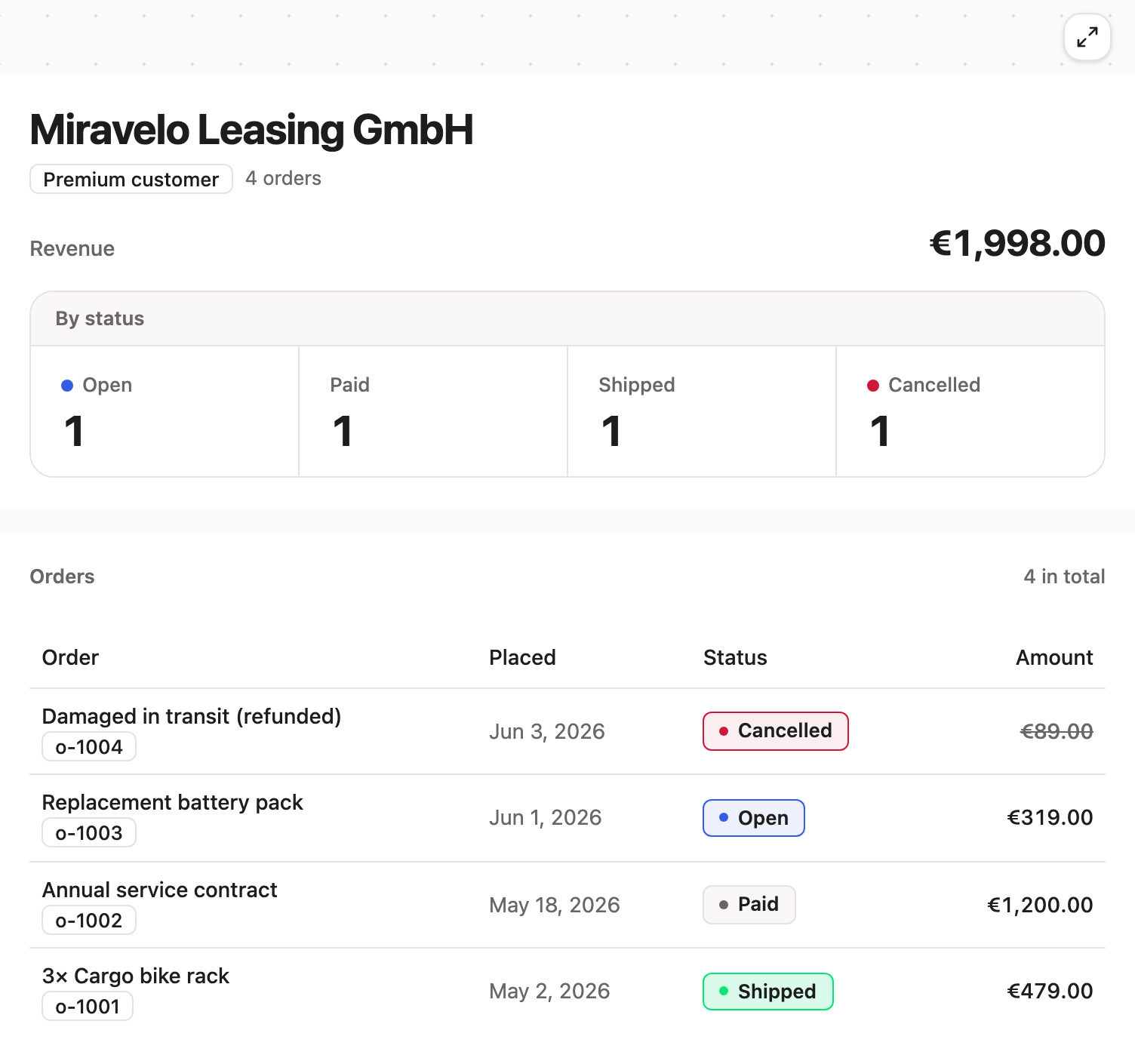
Both stepData entries carry _dataType: "orders:dashboard" with the same object; each widget renders its own slice (orders:kpi reads the totals, orders:table reads the rows). This is buildComposedView, the recommended default for multi-widget views. Re-run it with "customerId": "c-2" to watch the whole view re-scope to Nordwind's single order.
Reading: layout & rendering
5. A real pipeline
Stop 4 computed both widgets up front. The advanced path, render-view, chains steps whose inputs depend on earlier outputs. Call render-view with:
{
  "keys": { "orders:customerId": "c-1" },
  "steps": [
    { "id": "customer", "step": "orders:resolve-customer" },
    { "id": "orders", "step": "orders:list-customer-orders" }
  ],
  "layout": {
    "rows": [
      { "row": [{ "widget": "orders:kpi", "span": 12 }] },
      { "row": [{ "widget": "orders:table", "span": 12 }] }
    ]
  },
  "title": "Orders pipeline view"
}
The rendered view looks identical to stop 4 — but it was computed by a two-step chain. The proof is in context.keys on the result:
{ "orders:customerId": "c-1", "orders:customer": {}, "orders:orderList": {} }You passed only orders:customerId. orders:customer appeared because step A produced it; orders:list-customer-orders then ran because that key satisfied its requires, producing orders:orderList. The gate is the chaining.
Reading: pipelines & steps
6. Break it — fail-soft
Repeat stop 5 with one change — an id that doesn't exist:
{
  "keys": { "orders:customerId": "does-not-exist" },
  "steps": [/* … as above … */],
  "layout": {/* … */}
}
The call still succeeds. Step A can't resolve the customer, so it records an error and never produces orders:customer; step B is skipped because its required key never appeared. context.errors tells the story and stepData is empty:
{
  "errors": [
    { "stepId": "customer", "reason": "Unknown customer id: \"does-not-exist\"." },
    { "stepId": "orders", "reason": "Missing required keys: orders:customer" }
  ]
}
Pipelines degrade per-step instead of crashing the request.
Reading: debugging pipeline steps
7. Builder & dashboards
The playground boots with app.builder: true, so the pipeline view from stop 5 carries an Edit view button (the eager view from stop 4 doesn't — only pipeline-rendered views carry the refresh params the builder re-runs). Open it and you get the in-iframe visual builder, fed by get-builder-catalogue:
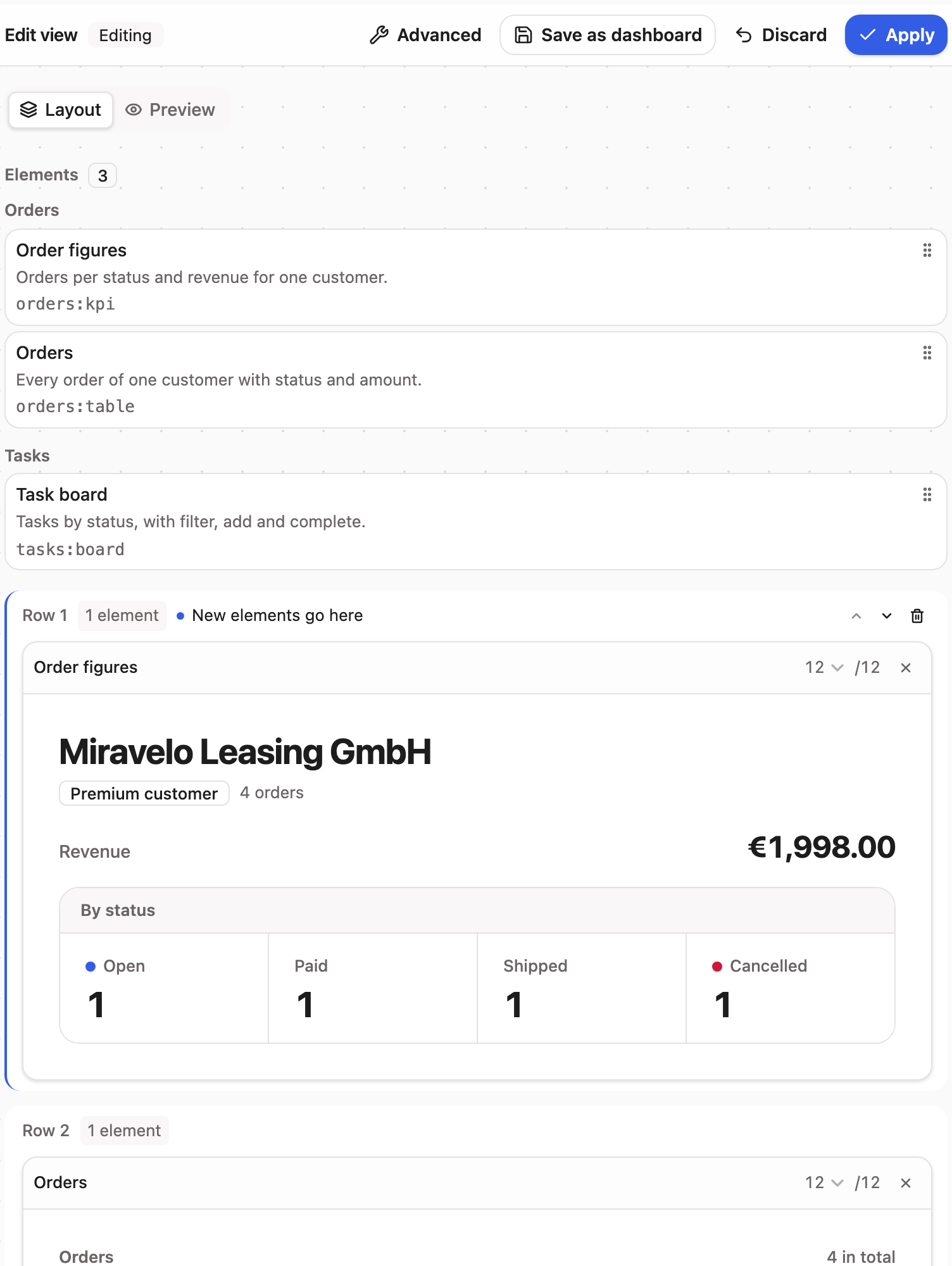
Drag widgets from the palette, resize their column spans, switch to the Data sources tab to wire steps — no round-trip through the LLM. Save persists through the dashboard CRUD tools, which you can also drive directly: save-dashboard with the keys/steps/layout from stop 5, then list-dashboards, then load-dashboard — whose result feeds straight back into render-view. A saved dashboard is a callable view.
(Dashboards live in the in-memory store — gone on restart, like everything here.)
Reading: view builder · building dashboards
That's the tour
You've touched every layer: domain tools, a single-widget view, an eager composed view, a real pipeline, fail-soft execution, and the builder. To build your own, start with getting started; to run this host locally, see the overview.