Business Model Canvas
Your business model on one page. Fill in a Business Model Canvas in VS Code, in your browser or in Orca, and keep it as a plain .bmc file next to the plans it explains.
Try it now
Open the web app and pick Show example: no install, no account.
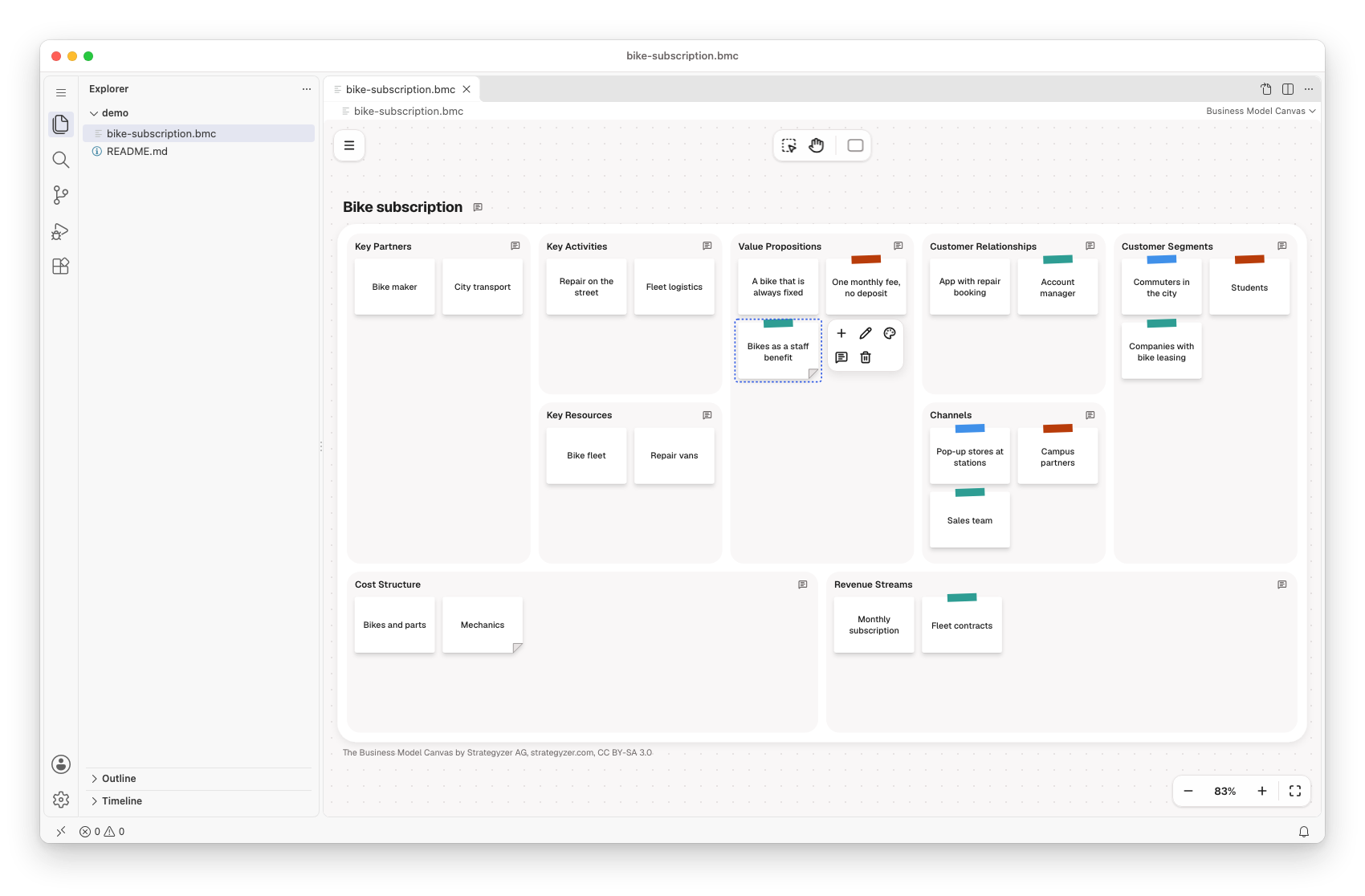
What a Business Model Canvas is
Alexander Osterwalder created the Business Model Canvas, published with Yves Pigneur in Business Model Generation (2010). It describes how an organisation creates, delivers and captures value in nine building blocks on one sheet. The right half is about customers: segments, value propositions, channels and relationships. The left half is the infrastructure behind them: key partners, activities and resources. The bottom row is the money: costs and revenue streams.
Each idea in a block is a sticky. A good canvas reads from right to left: who you serve, what you promise them, and what it takes to keep that promise.
Why it matters
- Founders, product, sales and engineering discuss the same nine blocks instead of their own slides.
- Every sticky is an assumption. The canvas shows which ones you still have to test, so you test the riskiest first.
- Moving a sticky costs seconds; finding out late that the business model is wrong costs a year.
The canvas comes first in the suite: it answers why the business exists. The Value Chain after it shows how the business delivers that value.
Draw it in the modeler
- The nine blocks in the layout of the original canvas, each with a hint that asks its question while it is empty
- Stickies with eight tape colours that mean what your team makes them mean, such as one colour per customer segment
- Notes on a sticky, a block or the whole canvas for the assumptions you still have to test
- Export as PNG or SVG, with the canvas's attribution on every export
Model and code side by side
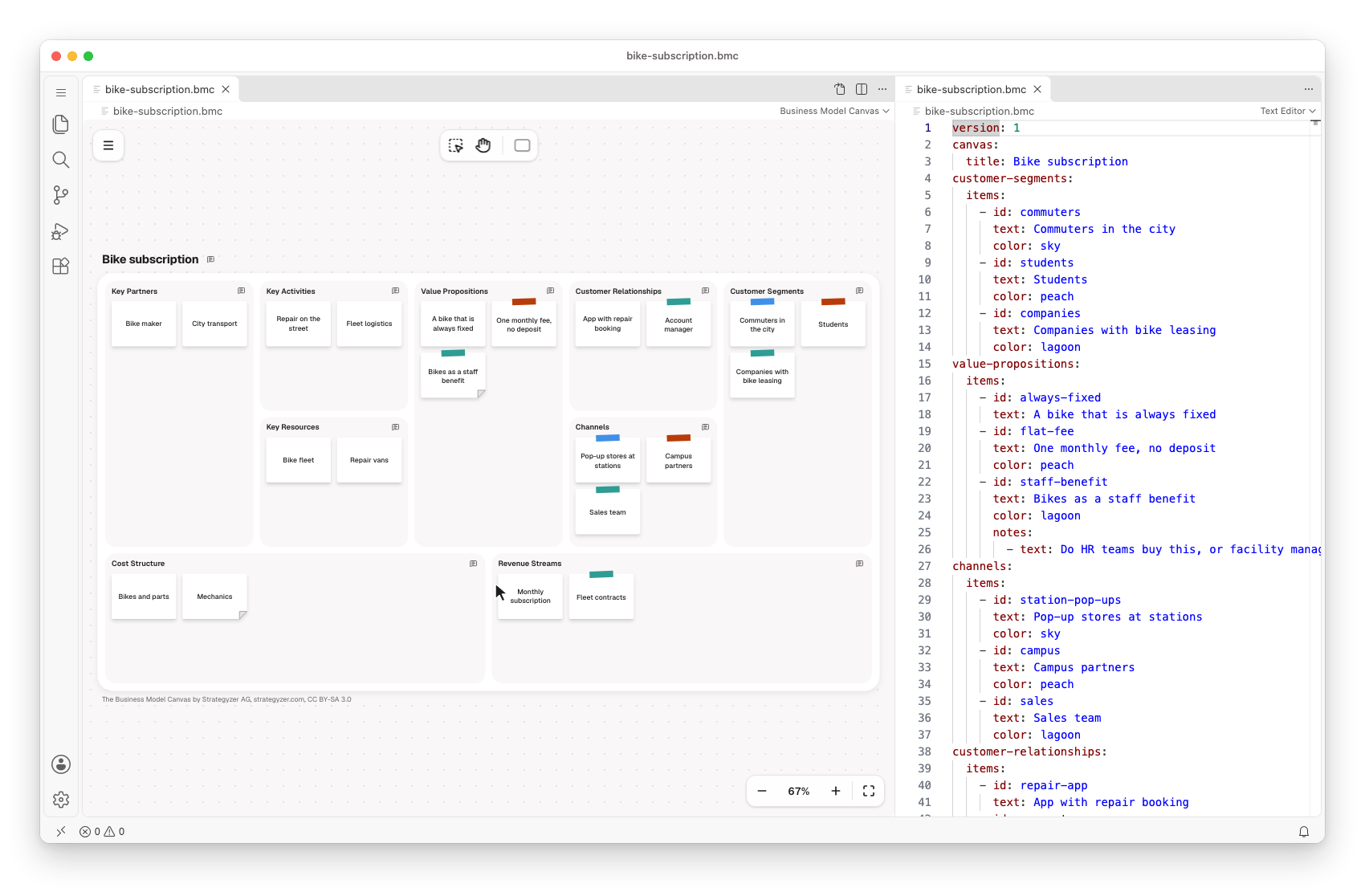
A .bmc file is YAML: one field per building block, with its stickies as items. Edit the canvas or the text, and the other side follows. A pull request shows which sticky changed.
customer-segments:
  items:
    - id: commuters
      text: Commuters in the city
      color: sky
value-propositions:
  items:
    - id: staff-benefit
      text: Bikes as a staff benefit
      color: lagoon
      notes:
        - text: Do HR teams buy this, or facility managers?
Use it where you work
- In the browser: business-model-canvas.modeler.miragon.io
- In VS Code: the Business Model Canvas Modeler opens
.bmcfiles as canvases, with the text side by side. Also on Open VSX. - In Orca: open the plugin in Orca: each change your coding agent writes shows up as it happens (what it does in Orca).
- With Claude Code: the
business-model-canvas-modelerplugin drafts a canvas from your notes or reviews one.
The modeler publishes no npm package.
Next steps
- The README of the Business Model Canvas modeler: the canvas, its marks, the
.bmcformat and the attribution. - Build from source: build and run every modeler from the repository.