Getting started
Install Diagit, open a model file on GitHub or GitLab and review a change to a BPMN process in a pull request. It takes about three minutes.
Requirements: Chrome, Edge or Firefox, and a repository on github.com, gitlab.com or a self-hosted GitLab or GitHub Enterprise instance.
1. Install the extension
Add Diagit from your browser's store:
Public repositories on github.com and all repositories on gitlab.com work right away. Diffs in private repositories on github.com need the GitHub App (Private repos on github.com), and a self-hosted instance needs its domain allowed once (Self-hosted instances). The Diagit icon appears in the browser toolbar.
2. Open a model file
Open any supported file in a repository, for example a .bpmn, .storm or .owm file. Diagit draws the diagram above the source:
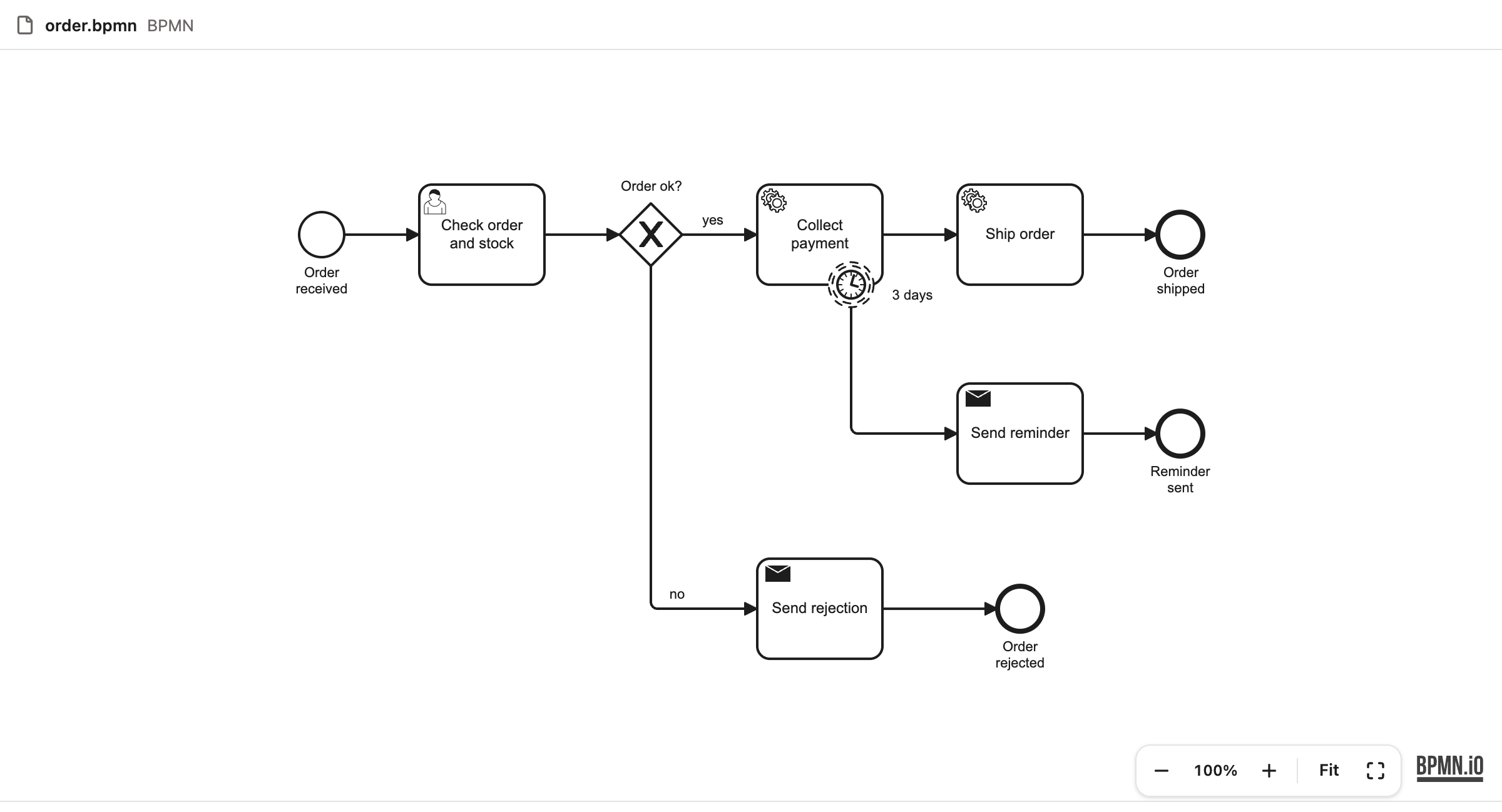
Drag to move the diagram, zoom with − and +, and press Fit to see all of it again. The source stays below, unchanged. Code at the end of the toolbar hides the source and shows it again. The full screen button next to Fit shows the diagram on the whole screen. Press it again or Esc to leave.
3. Review a change in a pull request
Open a pull request or merge request that changes a .bpmn file and go to Files changed (on GitLab: Changes). Diagit adds a panel above the file's text diff and opens it on Diff:
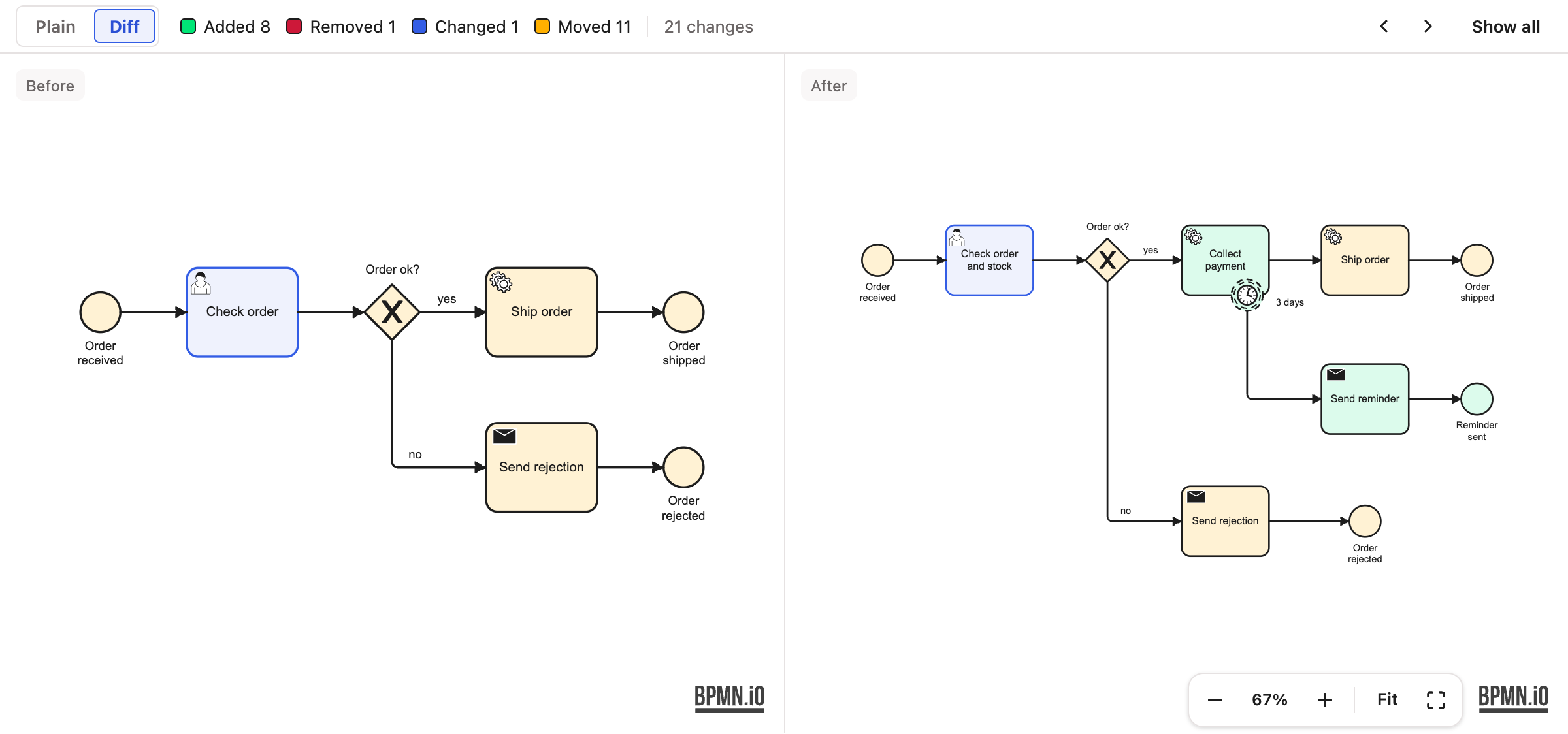
The old model is on the left, the new one on the right. Added, removed, changed and moved elements carry their colour; Review a model change explains each one.
Troubleshooting
Nothing appears on my company's GitLab or GitHub Enterprise
Diagit needs your permission once per self-hosted domain. Open a model file there and click the Diagit icon in the toolbar, then allow access. See Self-hosted instances.
The diff panel is missing in a private repository on github.com
github.com serves pull request data from api.github.com, which your login cookie does not reach. Install the GitHub App and connect it once, as described in Private repos on github.com.
A file shows only its source
Diagit recognises files by their ending. Check that the file ends in one of the supported endings, such as .bpmn or .vc.json. Reload the page after renaming.
A diagram appears, but no diff for my DMN, Wardley Map or other model
The before/after diff is available for BPMN so far. All other notations are drawn on the file page. In a pull request they show only the text diff.
Next steps
- Review a model change: what each colour means and how to step through changes.
- Supported notations: all eight notations and their file endings.
- Privacy and permissions: what Diagit reads, stores and sends.