Self-hosted instances
Turn Diagit on for a self-hosted GitLab or GitHub Enterprise instance. Each domain needs your permission once.
Requirements: Diagit installed, and access to the instance in this browser.
1. Allow the domain
Open a model file, a merge request or a commit on your instance and click the Diagit icon in the browser toolbar. The browser asks whether Diagit may read the domain. Allow it.
You can also right-click the page and choose Enable Diagit on this domain.
2. Reload the page
Reload the page. Diagit now draws the model, as on github.com and gitlab.com.
Add or remove a domain in the options
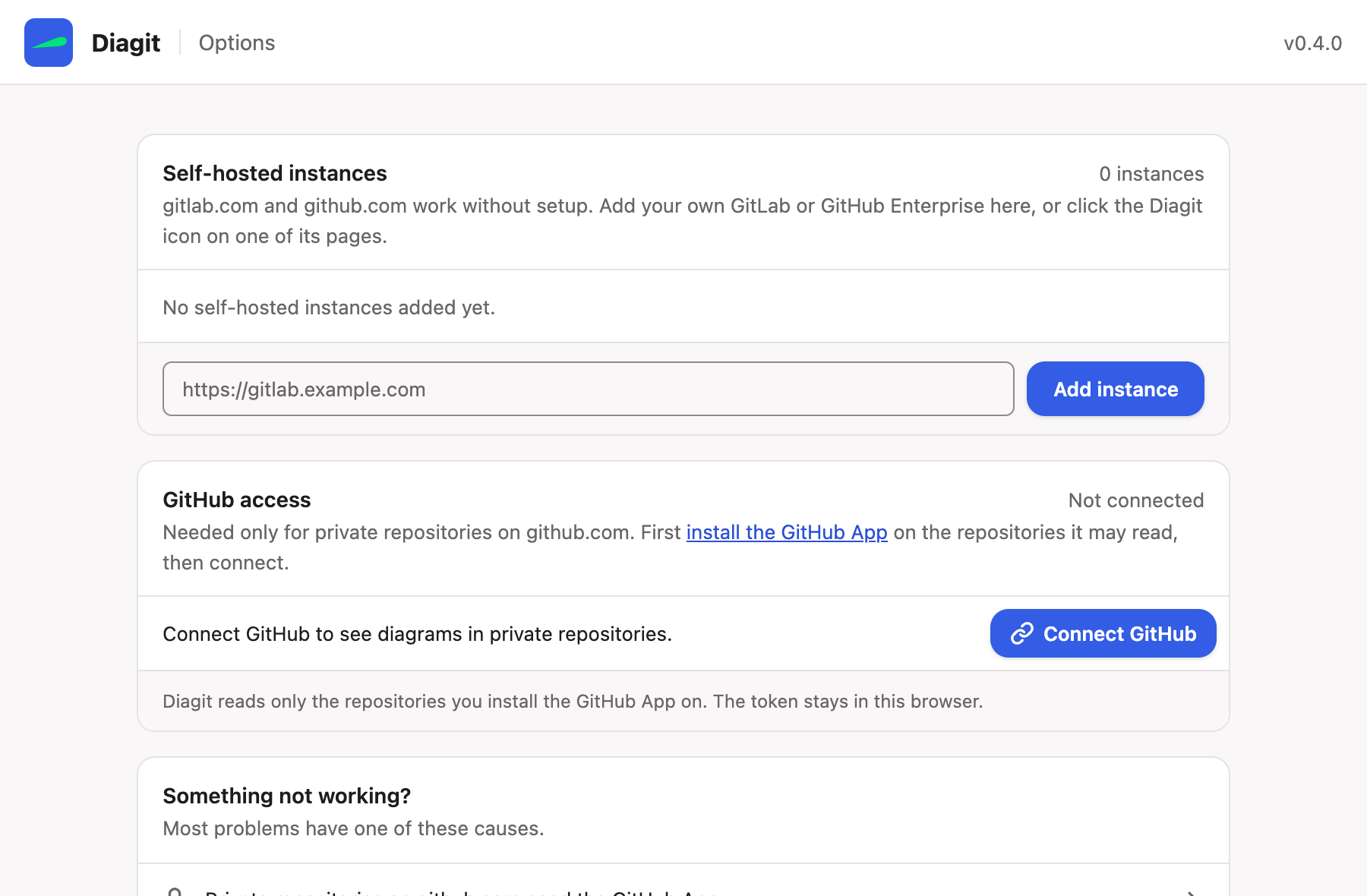
Open the options: click the Diagit icon on any page that is not a Git host, or open the extension's options from the browser's extension menu. Under Self-hosted instances, enter the address and press Add instance. Remove takes a domain away again.
Troubleshooting
"Permission was not granted."
The browser's permission dialog was closed or denied. Add the domain again and choose Allow.
"Enter a valid http(s) URL."
Enter the address with its scheme, for example https://gitlab.example.com.
Next steps
- Privacy and permissions: what Diagit does with the access to a domain.
- Review a model change: the diff in your merge requests.