Get started in Orca
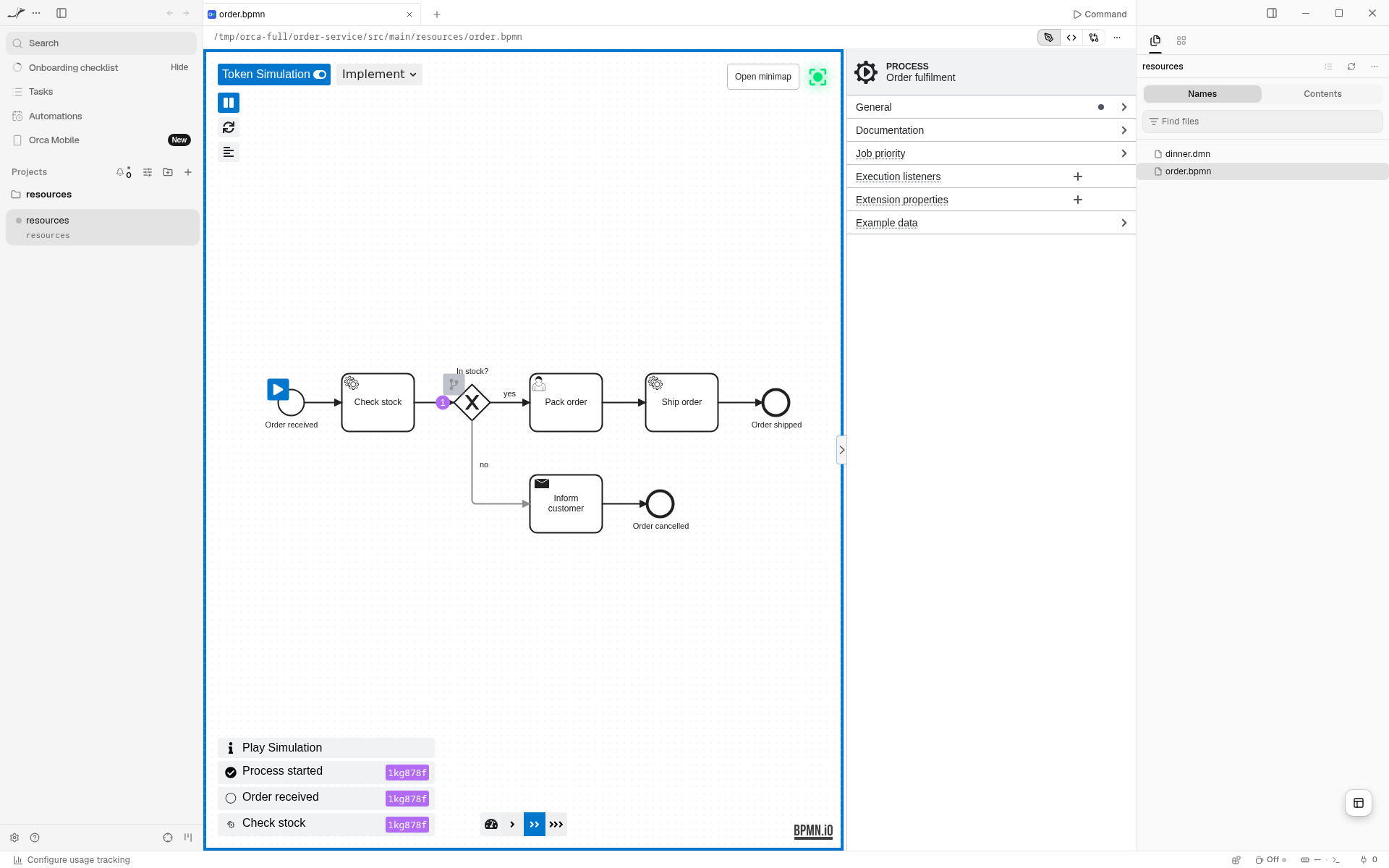
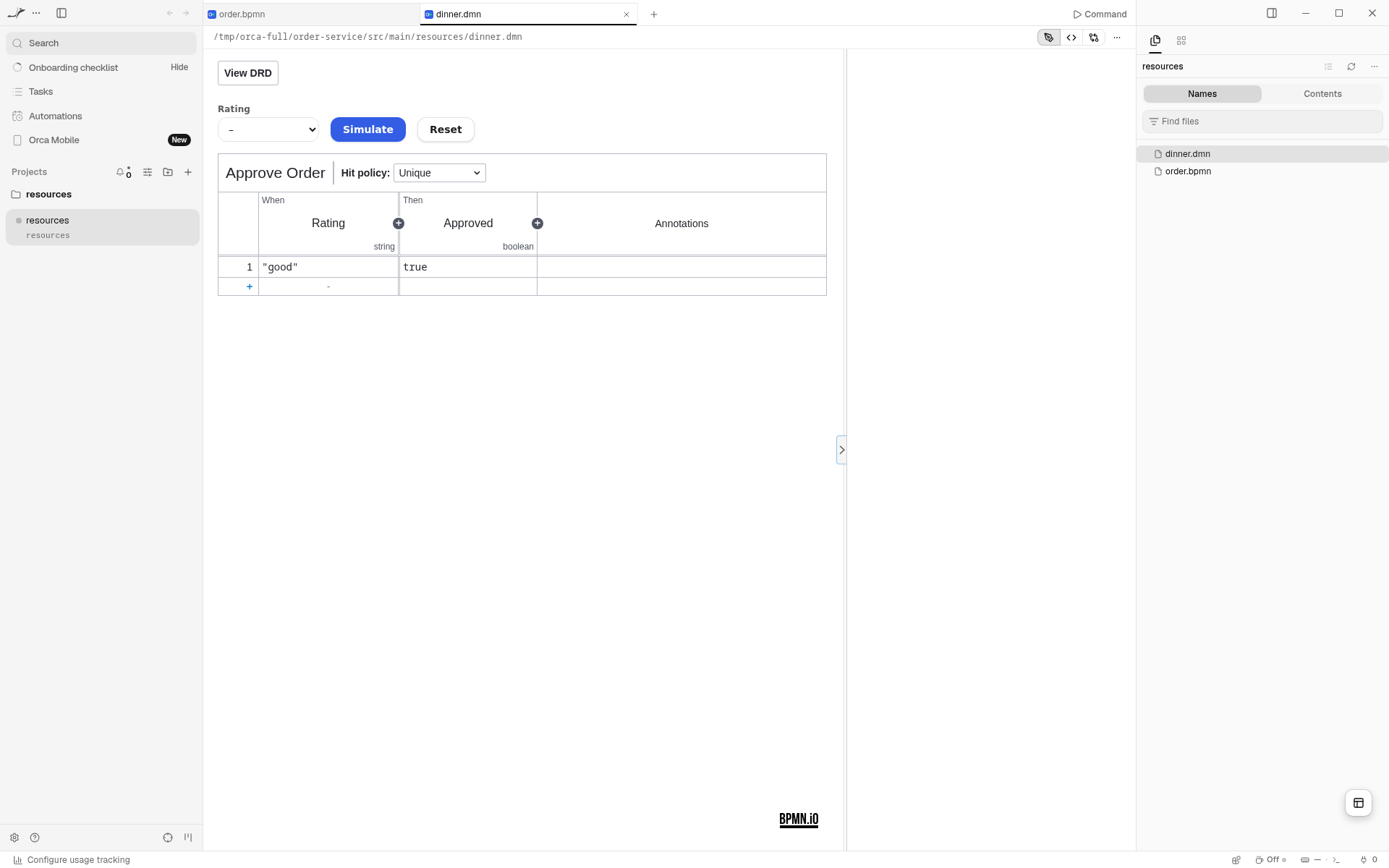
Open .bpmn and .dmn files as diagrams in Orca, right next to the coding agent that writes them. Every change the agent makes to the file shows up on the canvas, and you can model lightly yourself.
Experimental
The Orca plugin is experimental. It views, simulates and lightly models; it does not deploy, jump into code or open forms, and it may change between releases. See Limits before you rely on it, and tell us what you miss.
Install
Open the plugin's page in Orca and press Install: BPMN & DMN Modeler. The first time, Orca asks whether to add the Miragon plugins catalog, which also lists the modelers of the Miragon modeler suite. New releases reach you through the same catalog.
You need the Orca desktop app, version 1.4.248 or later.
Try it on the plugin's page opens an example process. + in the tab bar starts a new process or decision from an example.
What you get
.bpmn | .dmn |
|---|---|
| View, Design and Implement modes (Camunda 7 and 8) | Decision requirements diagram |
| Properties panel | Decision tables, literal and boxed expressions |
| Token simulation | Properties panel |
| Linting | Decision simulation |
Light and dark follow Orca's theme, and the language follows Orca's.
- Live while your agent writes. An agent's change to the file shows up at once. If it writes while you have unsaved edits, Orca asks whether to reload or keep yours.
- Undo and save as usual. The editor keeps its own undo history; a save also takes the value you are still typing into the properties panel or a table cell.
- Read-only tabs. An agent transcript or a remote file opens in View mode (BPMN) or locked (DMN).
Limits
The plugin runs in Orca's sandbox, without file or network access. Everything that needs the rest of your workspace is left out: jumping to the code or the models a task refers to, workspace element templates, form previews, inline script editing, deployment and the Form editor. Copy and paste work within one editor tab only. Use the VS Code extension for those.
A .bpmn or .dmn file opened from Orca's changes list shows Orca's text diff, not a diagram diff. As of 13 November 2026, Orca does not hand a diff tab to a plugin editor (stablyai/orca#39928), so the plugin cannot show the BPMN or DMN diff yet.